> For the complete documentation index, see [llms.txt](https://spacecore.gitbook.io/wiki/llms.txt). Markdown versions of documentation pages are available by appending `.md` to page URLs; this page is available as [Markdown](https://spacecore.gitbook.io/wiki/en/os-and-software/java-linux.md).
# Java \[Linux]
{% hint style="danger" %}
### This content is outdated
**The knowledge base has moved →** [**https://wiki.spacecore.pro/**](https://wiki.spacecore.pro/)
This wiki is no longer updated. All current guides and articles are at the new address.
{% endhint %}
{% content-ref url="" %}
{% endcontent-ref %}
***
## Using Ubuntu
{% hint style="info" %}
The instruction was tested on Ubuntu distributions 18.04, 20.04, 22.04
{% endhint %}
{% tabs %}
{% tab title="Java 8" %}
```
apt-get -y update
```
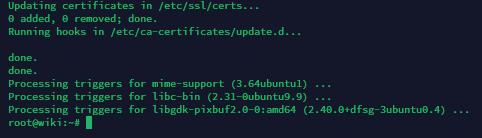
Wait a while, this process may take 1-2 minutes. When finished, a prompt appears to enter commands on behalf of the user.
Use universal command to install OpenJDK 8
```
sudo apt install -y openjdk-8-jdk
```
Waiting for all files to be downloaded and installed.
{% endtab %}
{% tab title="Java 11" %}
```
apt-get -y update
```
Wait a while, this process may take 1-2 minutes. When finished, a prompt appears to enter commands on behalf of the user.
Use universal command to install OpenJDK 11
```
sudo apt install -y openjdk-11-jdk
```
Waiting for all files to be downloaded and installed.
{% endtab %}
{% tab title="Java 17" %}
```
apt-get -y update
```
Wait a while, this process may take 1-2 minutes. When finished, a prompt appears to enter commands on behalf of the user.
Use universal command to install OpenJDK 17
```
sudo apt install -y openjdk-17-jdk
```
Waiting for all files to be downloaded and installed.
{% endtab %}
{% tab title="Test" %}
```
java -version
```
{% endtab %}
{% tab title="Removing" %}
```
apt-get -y purge openjdk* java*
```
{% endtab %}
{% endtabs %}
## Debian usage
{% hint style="info" %}
Tutorial tested on Debian distributions
{% endhint %}
{% tabs %}
{% tab title="Java 8" %}
```
apt install apt-transport-https gnupg wget software-properties-common -y
```
We’re adding a repository.
```
wget -qO - https://adoptopenjdk.jfrog.io/adoptopenjdk/api/gpg/key/public | apt-key add -
```
```
add-apt-repository --yes https://adoptopenjdk.jfrog.io/adoptopenjdk/deb/
```
```
apt-get update
```
Installing OpenJDK 8.
```
apt-get install adoptopenjdk-8-hotspot -y
```
{% endtab %}
{% tab title="Java 11" %}
```
apt-get -y update
```
Wait a while, this process may take 1-2 minutes. When finished, a prompt appears to enter commands on behalf of the user.
Use universal command to install OpenJDK 11
```
apt-get install -y openjdk-11-jdk
```
Waiting for all files to be downloaded and installed.
{% endtab %}
{% tab title="Java 17" %}
```
apt-get -y update
```
Wait a while, this process may take 1-2 minutes. When finished, a prompt appears to enter commands on behalf of the user.
Use universal command to install OpenJDK 17
```
apt-get install -y openjdk-17-jdk
```
Waiting for all files to be downloaded and installed.
{% endtab %}
{% tab title="Test" %}
```
java -version
```
{% endtab %}
{% tab title="Removing" %}
```
apt-get -y purge openjdk* java*
```
{% endtab %}
{% endtabs %}