> For the complete documentation index, see [llms.txt](https://spacecore.gitbook.io/wiki/llms.txt). Markdown versions of documentation pages are available by appending `.md` to page URLs; this page is available as [Markdown](https://spacecore.gitbook.io/wiki/en/minecraft/how-to-install-bungeecord-server.md).
# Installing the BungeeCord server
{% hint style="danger" %}
### This content is outdated
**The knowledge base has moved →** [**https://wiki.spacecore.pro/**](https://wiki.spacecore.pro/)
This wiki is no longer updated. All current guides and articles are at the new address.
{% endhint %}
{% content-ref url="" %}
{% endcontent-ref %}
***
Many people have a question: "How do you create your own bundle of servers?". Let's figure it out!
## Information
This guide provides an example of installing a **BungeeCord server** on **Minecraft version 1.17.**
We will show 2 installation options using **sFTP** or **SSH** only.
## Installing servers
After installing all the necessary software, let's start downloading the server.
### sFTP
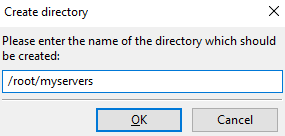
Creating a new directory with any name.
We go into it.
Next, we need to upload the **BungeeCord** core to this folder (or you can create a separate one for each server). To download the latest version of **BungeeCord**, we will use the official website: [clik](https://ci.md-5.net/job/BungeeCord/lastSuccessfulBuild/artifact/bootstrap/target/BungeeCord.jar).
After downloading, we send the **file** to our catalog.
We go to the folder of our server via **SSH**.
```
cd myservers
```
Use the command to create a new **Screen** window:
```
screen -S bungeecord
```
The window has been created.
Now let's start the server itself. You can do this using an **SH script**, or manually run it through **Java** arguments.
```
java -Xms512M -Xmx2048M -jar BungeeCord.jar nogui
```
{% hint style="info" %}
**-Xms512M** — the minimum amount of **RAM** allocated for the game server.
**-Xmx2048M** — the maximum amount of **RAM** that will be available to the server during operation.
**-jar** — the type of file to run.
**ядро.jar** — the name of the core of the game server itself.
**nogui** — an argument for canceling the launch of the GUI, since we don't need it.
{% endhint %}
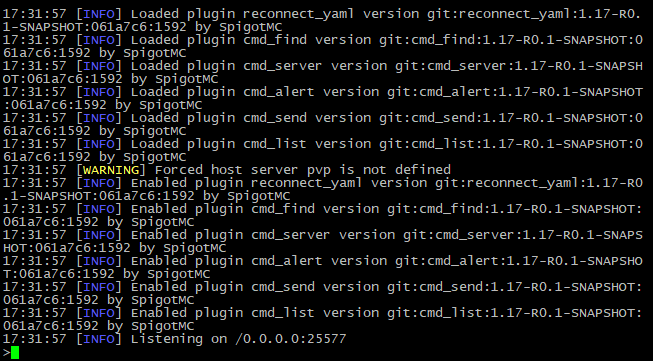
The server started successfully on port 25577:
Use the keyboard shortcut **Ctrl + a + d** to exit the Screen window.
Great, let's create a new folder for the game server where users can play:
We go into it. Great!
Next, let's download the latest build of the **Paper 1.17** core:[ clik](https://papermc.io/api/v2/projects/paper/versions/1.17/builds/71/downloads/paper-1.17-71.jar).
Uploading the kernel to our new directory:
Great!
Let's create a new **Screen** window for this server:
```
screen -S survival
```
Go to the server directory:
```
cd myservers/survival
```
We also use the **SH** script or command to manually start the server:
```
java -Xms512M -Xmx2048M -jar paper-1.17-71.jar nogui
```
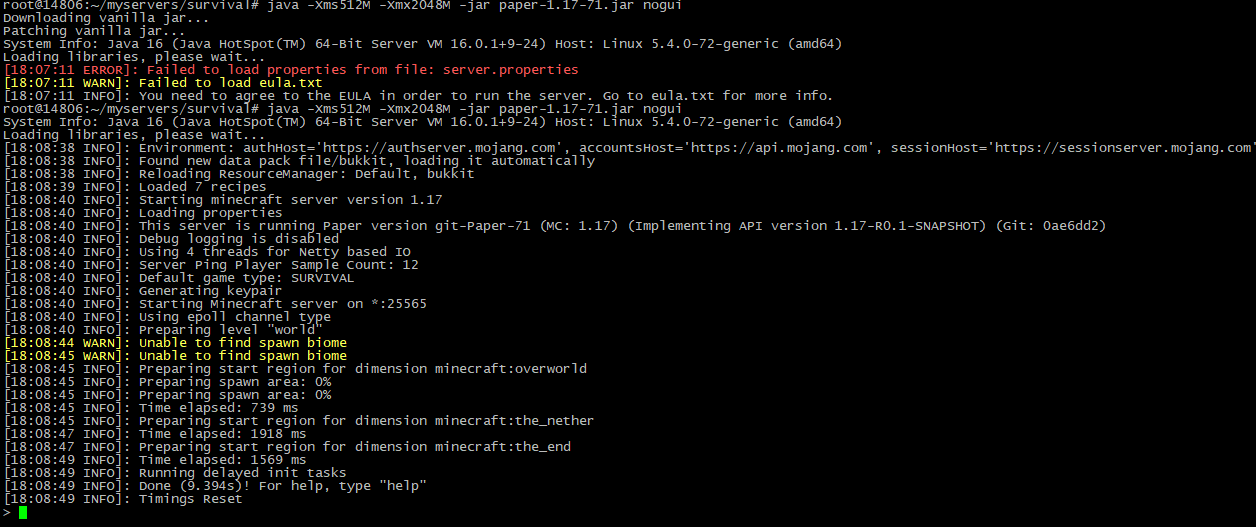
As usual, we confirm eula by specifying «**eula=true**» in the file «**eula.txt**», and start the server again:
The server has been successfully started.
### SSH
Now let's consider the option of installing servers entirely through the **SSH** console. Create a directory in the root folder for our servers, and then go to it:
```
mkdir myservers && cd myservers
```
Download the **BungeeCord** kernel.
```
wget https://ci.md-5.net/job/BungeeCord/lastSuccessfulBuild/artifact/bootstrap/target/BungeeCord.jar
```
Done.
Creating a new **Screen** window to start the server:
```
screen -S bungeecord
```
Starting the server:
```
java -Xms512M -Xmx2048M -jar BungeeCord.jar nogui
```
The server is running.
Exit the window using the keyboard shortcut **Ctrl + a + d.**
Let's create a new directory for the game server on which users can play, go to it:
```
mkdir survival && cd survival
```
Download the latest build of the **Paper 1.17** core.
```
wget https://papermc.io/api/v2/projects/paper/versions/1.17/builds/71/downloads/paper-1.17-71.jar
```
The kernel is loaded.
Creating another **Screen** window for the new server.
```
screen -S survival
```
Starting the server.
```
java -Xms512M -Xmx2048M -jar paper-1.17-71.jar nogui
```
As usual, we confirm eula by specifying «**eula=true**» in the file «**eula.txt**», and start the server again:
Use the key combination **Ctrl + a + d** to exit the window.
## Server connection
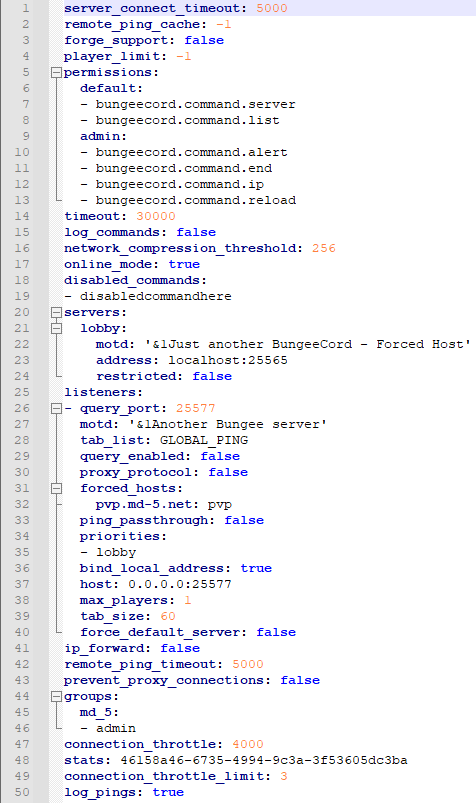
First, let’s look at the «**config**.**yml**» file in the **BungeeCord** folder.
### config.yml
* server\_connect\_timeout
This parameter is responsible for the time during which the player must join the server, otherwise the user will be disconnected.
* remote\_ping\_cache
Allows you to set the time in milliseconds during which **BungeeCord** will cache the number of players on the server, this option is disabled by default.
* forge\_support
Responsible for the operation of **Forge** on **BungeeCord** servers.
* player\_limit
The current number of slots on the **BungeeCord server**. The standard value «-1» is infinite.
* permissions
Approves standard rights for various groups on servers.
* timeout
How long should the **BungeeCord** server be unresponsive before disabling all players.
* log\_commands
If the setting is enabled, then when the player uses the **BungeeCord** command, the action will be displayed in the console.
* network\_compression\_threshold
Adjusts the network compression threshold, usually configured if the hosting is located far from the central audience of the server.
* online\_mode
Responsible for the ability to connect via the licensed version of the game. Disable it if you want to make the server pirated.
* disabled\_commands
Here you can specify **forbidden commands**.
* servers
In this category, servers that interact with **BungeeCord** are configured, we will look at this in more detail later.
{% hint style="info" %}
If the **restricted** option is enabled, only players who have the bungeecord.server permission will be able to connect to the **server.\[server name].**
{% endhint %}
* query\_port
Allows you to specify the port that can be used to receive information about the server.
* motd
The description of the server is in the main list.
* tab\_list
{% hint style="info" %}
Configuring the **TAB** menu on the server allows you to select several values:
**GLOBAL\_PING**: Displays all players in the tab, updating their ping.
**GLOBAL**: It also shows the players, but without ping checking.
**SERVER**: Shows local players on the server.
{% endhint %}
* query\_enabled
Activates the **GameSpy4** service, which allows you to get information about the server. The port is configured for use in the **query.port** line.
* proxy\_protocol
Activates the **HAProxy PROXY** protocol for all connected players.
* forced\_hosts
Redirects subdomains to **BungeeCord** game servers.
* ping\_passthrough
Allows query connections to receive **MOTD** and the number of players on the server.
* priorities
Allows you to specify priority servers for connecting players.
* bind\_local\_address
Will the **IPv4** address used point to the localhost server? This feature is useless if your server does not have multiple **IP addresses.**
* host
The host of the server, taking into account the port. The local address is usually set.
* max\_players
This is a «fake» number of slots on the server. That is, if you leave the value **0** as it is now, or set any other number of slots, players will be able to log in anyway.
* tab\_size
The maximum number of players that can be displayed in the server **TAB**.
* force\_default\_server
Related to the **priorities** setting. If set to true, the player will connect to priority servers. If false, the player will be returned to the last server.
* ip\_forward
Setting up redirection of players from the real server address to the **Proxy**.
* remote\_ping\_timeout
How long should the **BungeeCord** server not respond to query requests before disconnecting the connection.
* prevent\_proxy\_connections
If this option is enabled, players will not be able to connect to the server using a **Proxy**.
* groups
Allows you to specify the players and the group that will be assigned by default.
* connection\_throttle
The amount of time in milliseconds that must pass before the player can connect to the server again.
* stats
Randomly generated code for checking statistics on the[ MCStats](https://mcstats.org/) website. Do not change this value to avoid losing statistics.
* connection\_throttle\_limit
The number of server logins that a player can make during the time specified in the **connection\_throttle** parameter.
* log\_pings
Sends information about server pings by users to the console.
### Configuring servers
In the config, we specify the server name, description and address with the port.
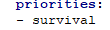
We also specify the priority server.
That's all we need for an ordinary connection.
We save the file and send it to the server
OK, now go to the folder with our server for players (**survival**).
Open the file «server.properties» and set the value of «online-mode=false».
{% hint style="warning" %}
Please note that this particular setting does not affect the connection to the server using a license or a pirated version of the game. In our case, this parameter is used to properly connect to BungeeCord.
The connection via the license is configured in the BungeeCord config "config.yml".
{% endhint %}
We save and send the file to the directory.
## Starting the servers
Let's go back to our **Bungeecord** window using the command
```
screen -x bungeecord
```
We returned to the **BungeeCord** console.
Stop server with «**end**» command and start again:
```
java -Xms512M -Xmx2048M -jar BungeeCord.jar nogui
```
The server is running.
Exit the window using the combination Ctrl + a + d.
We use the command to connect to the **Survival** server window:
```
screen -x survival
```
We also see the console of the running server.
We use the command «stop» to stop.
The server is turned off.
Launching it again:
```
java -Xms512M -Xmx2048M -jar paper-1.17-71.jar nogui
```
We have started the server.
Let's check out how BungeeCord works. Adding a standard address with port 25577 (which is used by default in BungeeCord).
The server is displayed in the list.
We're trying to get in.
Great, we've connected to our new server on **Minecraft** version **1.17**!
The **BungeeCord** console displays the moment of server ping through the **Minecraft** network list, the process of connecting to **BungeeCord** itself and redirecting to the Survival server.
Thank you for reading our article. This way you can add an unlimited number of servers to the **BungeeCord** bundle.
🚀 Your SpaceCore team <3