> For the complete documentation index, see [llms.txt](https://spacecore.gitbook.io/wiki/llms.txt). Markdown versions of documentation pages are available by appending `.md` to page URLs; this page is available as [Markdown](https://spacecore.gitbook.io/wiki/communications/account-telegram-notifications.md).
# Уведомления в Telegram
Такие уведомления и в правду удобные! Не нужно вставать дальше Телеграма!
{% hint style="danger" %}
### Данные устарели
**База знаний переехала →** [**https://wiki.spacecore.pro/**](https://wiki.spacecore.pro/)
Эта вики больше не обновляется. Актуальные инструкции и статьи — на новом адресе.
{% endhint %}
{% content-ref url="" %}
{% endcontent-ref %}
***
Необходимо авторизоваться в [личном кабинете](https://billing.spacecore.pro/), затем наводим курсор на **e-mail пользователя** в правом верхнем углу и переходим в раздел «Настройки»
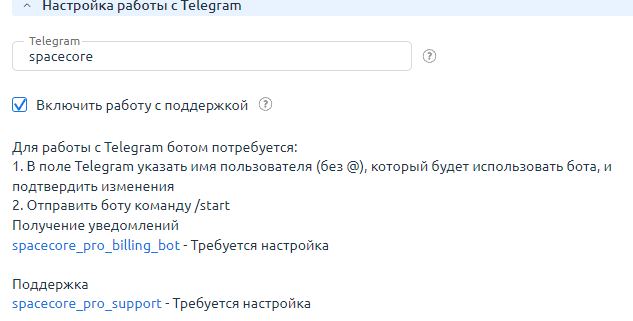
Листаем до категории «Настройка уведомлений». Здесь мы видим поле, куда необходимо указать наш **TelegramID** без символа «@», вводим.
На данный момент статус уведомлений — «Требуется настройка». Нажимаем «ОК», после чего статус изменяется на «Настраивается».
Далее нам необходимо написать любое сообщение [боту в Telegram](https://t.me/spacecore_pro_billing_bot) для создания диалога. Отправляем сообщение и обновляем страницу в личном кабинете.
Все готово, статус должен измениться на «Подтверждено». Проверим работу уведомлений.